· 10 min read
A Free Train Set Game in Your Browser
Traluno is a free train set game in a browser tab: lay track, run trains, build a town and ride in the cab. What is free, what costs money, how to start.
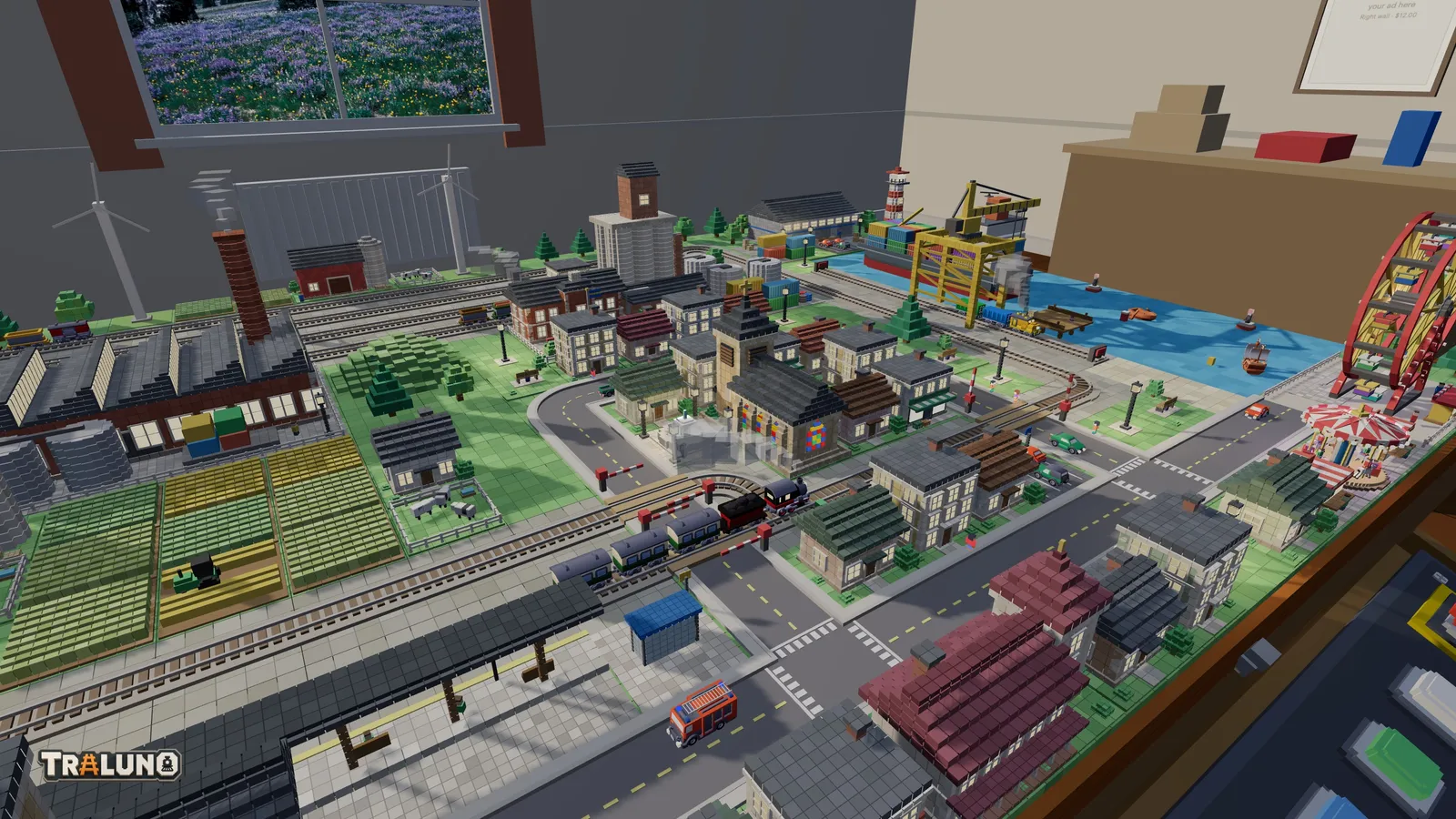
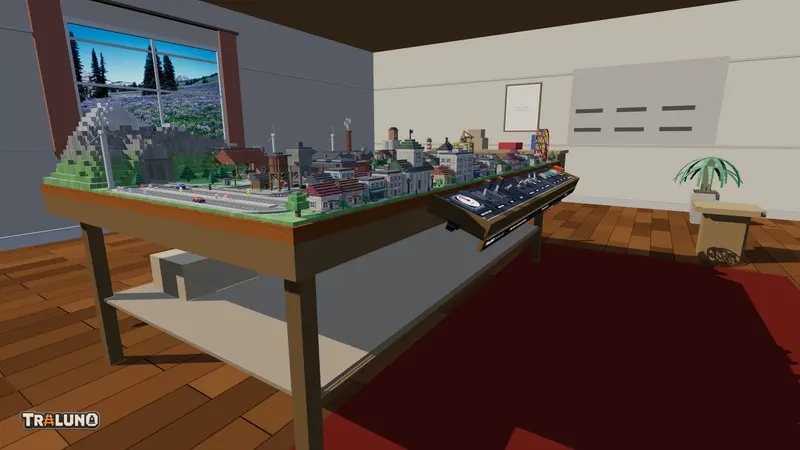
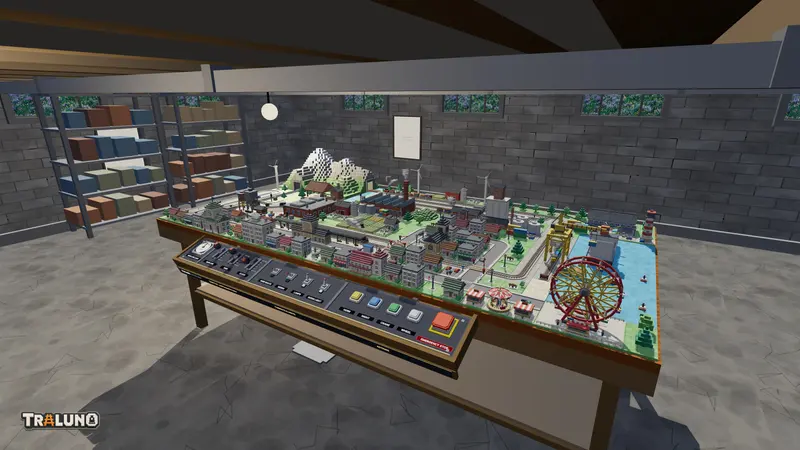
An HO-scale model railway stands on a wooden table in a hobby room, and you look at it from the eye height of someone standing at the front edge. Trains run, cars wait at the level crossings, people walk the streets and the light moves from morning into night. A control desk along the front of the table drives all of it, and you work its levers with the mouse. It is a train set game in the most literal sense, and it needs no install and no account to start: open the layout and the trains are already moving.
This page is the short version of everything else on the blog: what to do first, what costs money, what an account adds, and where the longer guides are.
What you see when it opens
A first visit opens on the demo scene, which is a finished layout rather than an empty board. A main line runs round the table with a goods yard inside it and a station on the front straight. The line tunnels through a mountain at the back. There is an engine terminal with a turntable and a roundhouse, a harbour with a quay track, a crane and a cargo ship, a farm, a town with a church and a town hall, and a fair with a ferris wheel and a carousel. Four trains are on the rails: the Steam Express, the Mixed Freight, the Yard Switcher and the Harbor Shunter.
Change whatever you like: Reset, in the layout menu, puts the demo scene back.
Your first ten minutes in the train set game
The bar along the top has six modes: Look, Build, Track, Road, Terrain and Erase. On a keyboard, the keys 1 to 6 switch between them. Each editing mode opens a catalogue: pick an item, then click a cell on the table.
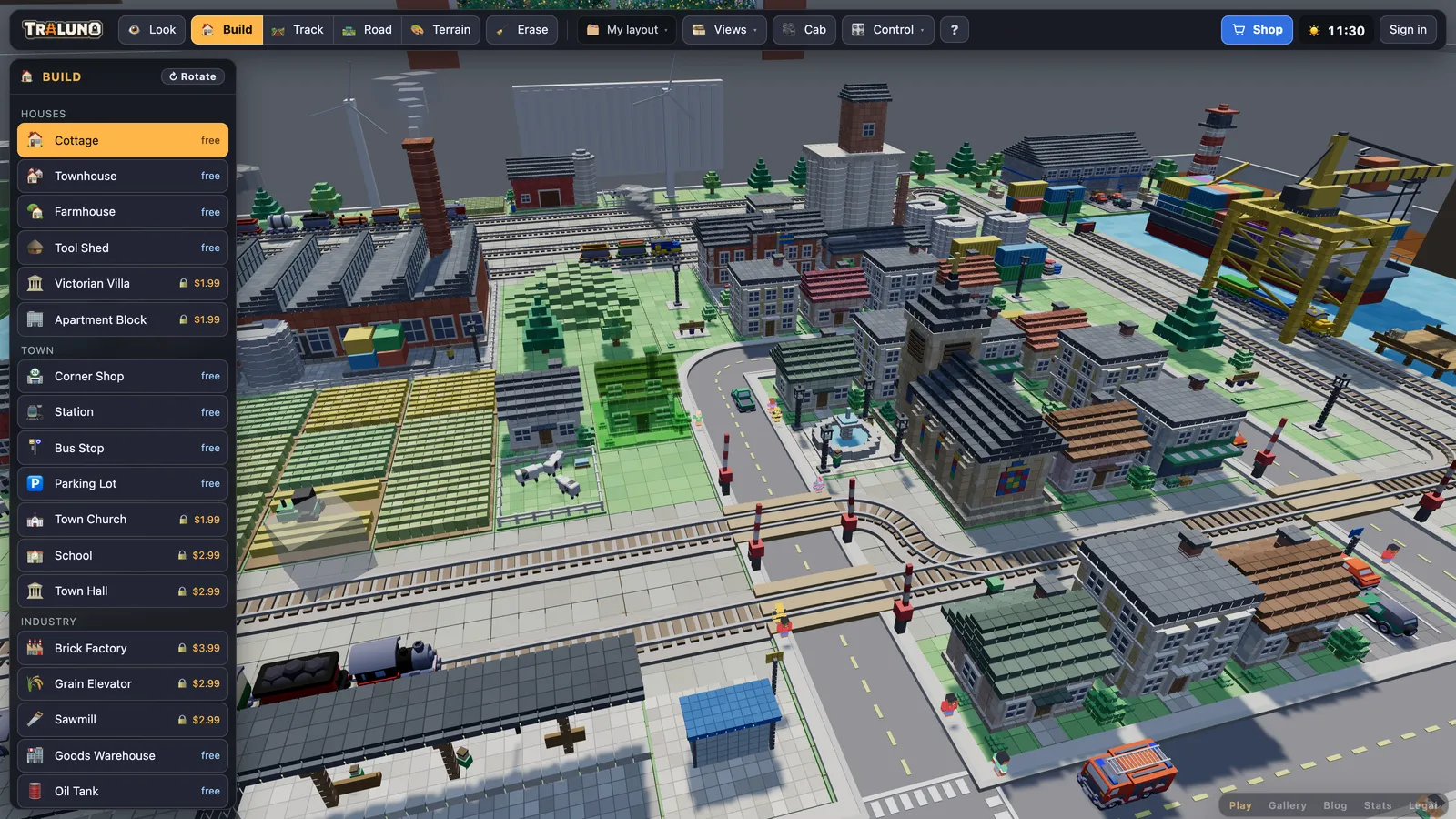
Look around. In Look mode, drag to orbit, use the wheel to zoom, right-drag to pan and W A S D to walk; Q and E move you down and up. Stand, Desk and Over are the three built-in views, under Views.
Lay some track. In Track mode, pick a piece, hover the table and click a cell. R rotates the piece before you place it, and dragging lays a run of straights. There are six pieces: Straight, Curve, Switch (left), Switch (right), Crossing and Buffer stop. Lay your first loop builds a working oval piece by piece.
Put a train on it. Trains sit in the same catalogue as the track. Pick one and click a track cell; a train aimed at bare table is refused.
Cross it with a road. Road mode has Street, Street curve, T-junction and Crossroads, and they go down the same way track does. A street laid across a straight track becomes a level crossing with gates, and the booms come down for the trains. The Car, Van and Truck go onto a road cell the way a train goes onto track.
Build a town. Build mode holds the buildings and scenery; Terrain mode paints grass, water, sand, pavement and gravel. A red ghost means the piece would overlap something and cannot go there, so nothing clips through anything else. Track laid over water turns into a bridge.
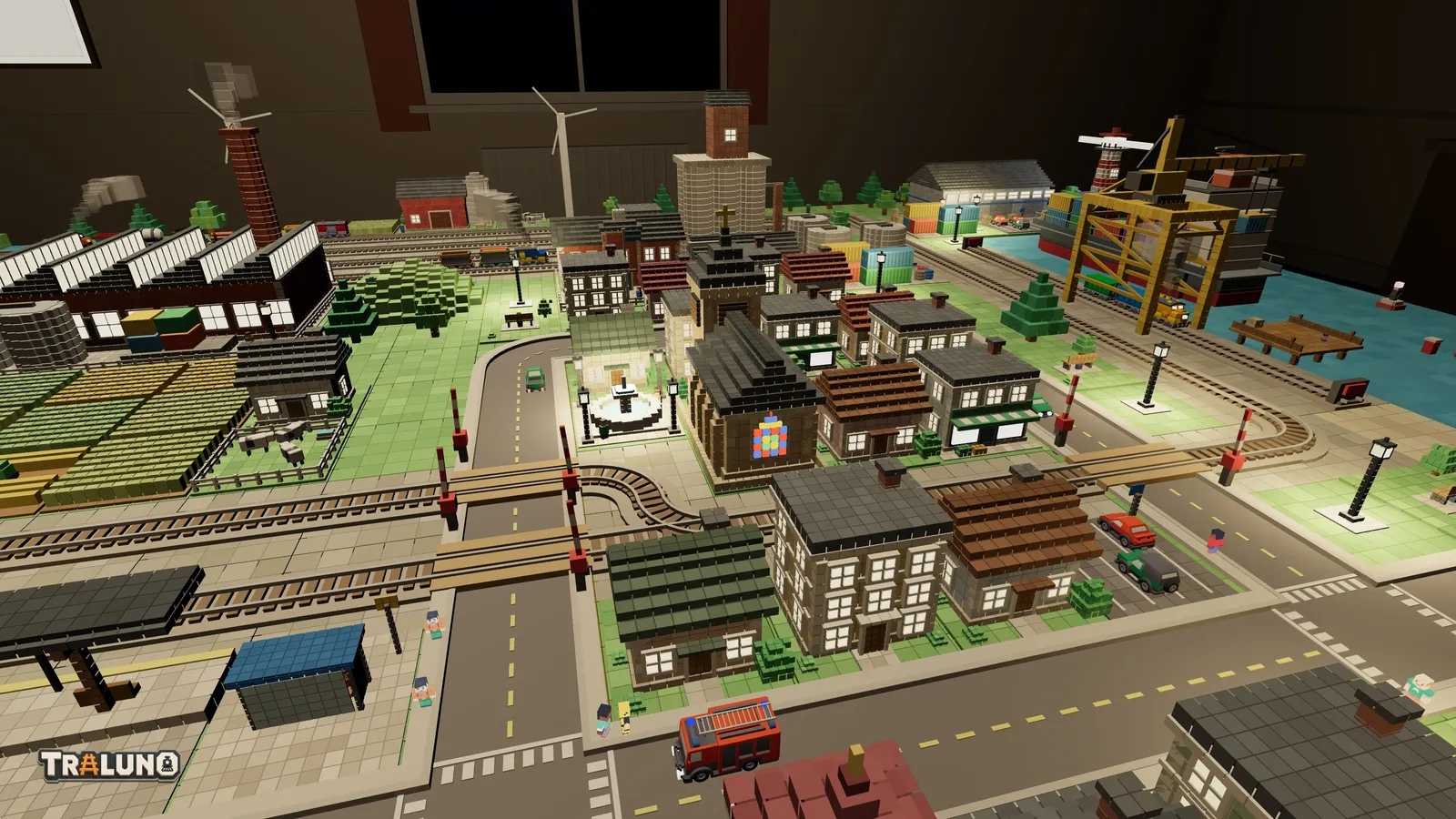
Let it get dark. The clock in the top bar runs faster than real time, and the CLOCK lever on the desk sets how much faster. Press NIGHT to jump to dusk and the windows and street lamps come on; press it again for the morning. When the lights come on explains how the night version of the layout is built.
Drive from the desk. The three levers are MAIN LINE, YARD and CLOCK, and you push them forward for faster. The toggles set the yard route and the station siding and switch the street lamps and the room light. The buttons are HORN, NIGHT, CRANE, WHEEL and EMERGENCY STOP. To run one train at a time instead, open Control: the Trains window gives every train its own throttle, stop and reverse, Switches lists every turnout, and the Track plan draws the layout from above. Control trains and switches covers all three windows.
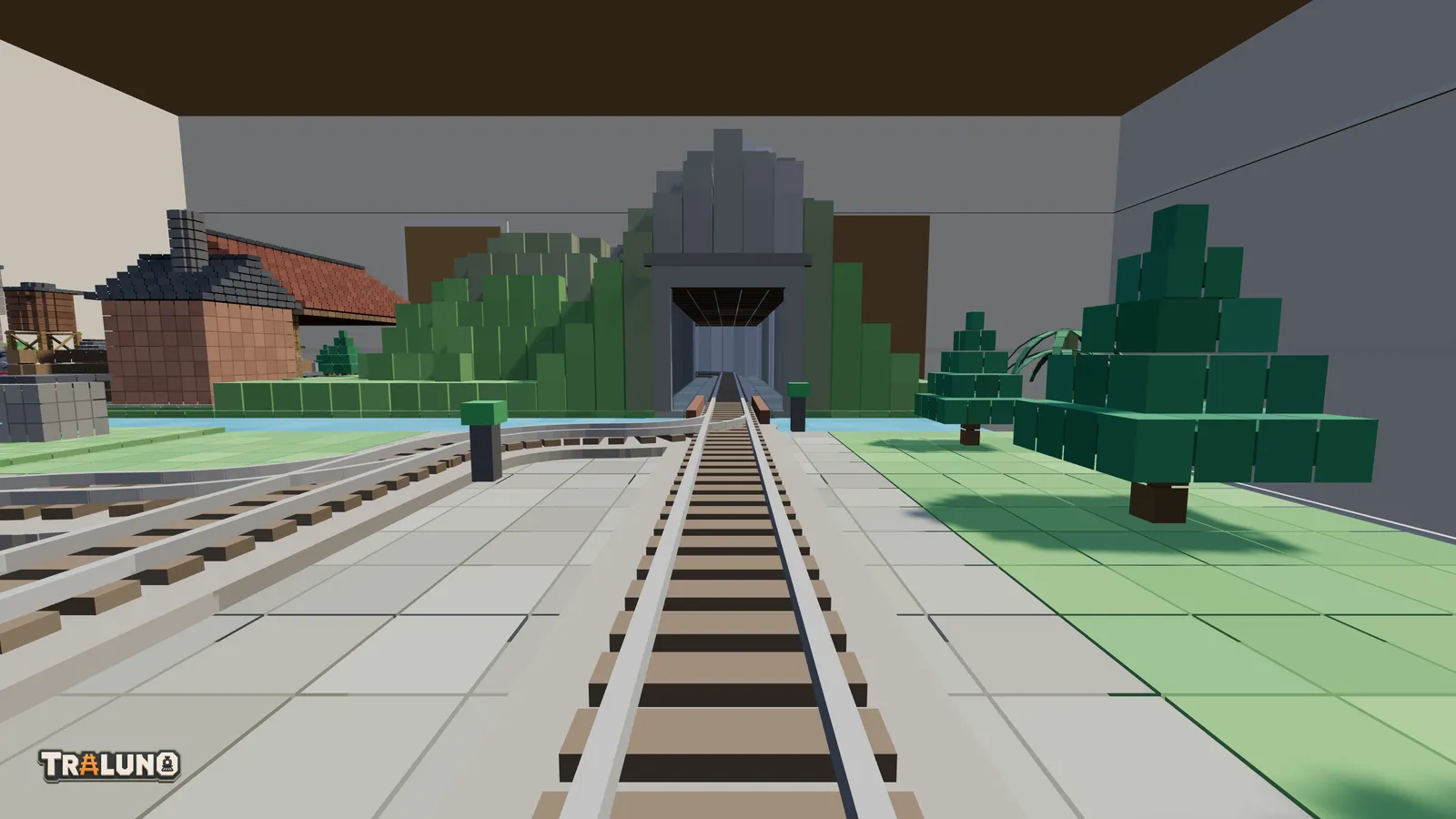
Ride in the cab. Click a train, or press Cab, and a window opens with the view from the front of it. Its arrows step through everything else you can ride: road vehicles, pedestrians, the carousel horses and the ferris wheel gondolas. Take a cab ride on your layout has the details, including recording.
A train track builder game with rules
As a train track builder game, Traluno is on the strict side. Track goes on a grid of cells, curves come in a single radius, and anything that would overlap is refused rather than allowed to clip. That rules out the free-form curves of a planning program, and in exchange a piece either fits or it does not. Switches turn a circuit into a network, a crossing lets two lines cross on the level, and buffer stops end a siding.
A table is 3 m by 1.6 m, and the layout can grow to four tables in a two-by-two block. From one table to four covers the arrangements, and model train track plans has plans that fit them.
Is it a train simulator?
If you came looking for a train simulator online, it is worth being clear about which kind this is. Traluno is a model train simulator: it simulates the model railway, with trains on the track you laid, switches, level crossings, road traffic, pedestrians and a clock. It does not simulate driving a real locomotive. Each train has a throttle, a stop and a reverse, and that is the whole of the driving model. There is no brake model, no adhesion and no timetable.
What it has instead is the hobby itself: the table, the room and the desk on the front edge. What else is on the shelf compares it with real train sims, Minecraft and the transport tycoon games, including what each does better.
Free to play, and what costs money
If you are comparing free train games online, the useful question is exactly where the free part stops, so here is the whole list. The game is free, an account is free, and 61 of the 92 items in the catalogue are free. That covers every track piece, every road piece, all five terrain paints, four trains, three road vehicles and 39 buildings and scenery items, from cottages, family homes and a station to a goods warehouse, a signal mast and a fair booth. Everything the game does is free as well: the desk, the Control windows, the cab view, day and night, and the four rooms.
The other 31 items are one-off purchases through Stripe Checkout. Prices are in US dollars and include VAT.
| Group | Items and prices |
|---|---|
| Trains | Royal Blue Steamer $5.99, Silver Streamliner $4.99, Heavy Coal Drag $4.99, Intermodal Stack $3.99, Country Local $2.99 |
| Town and houses | Office Tower $3.99, School $2.99, Town Hall $2.99, Villa with Pool $2.99, Residential Tower $2.99, Victorian Villa $1.99, Apartment Block $1.99, Town Church $1.99 |
| Industry and railway | Brick Factory $3.99, Roundhouse $3.99, Turntable $3.99, Grain Elevator $2.99, Sawmill $2.99 |
| Harbour | Cargo Ship $3.99, Harbor Crane $2.99, Lighthouse $1.99 |
| Landscape and farm | Mountain with Tunnels $4.99, Windmill $1.99, Wind Turbine $1.49 |
| Fair | Ferris Wheel $4.99, Carousel $2.99 |
| Airport | Small Airport $5.99 |
| Vehicles | Bus $1.49, Fire Truck $1.49, Police Car $1.49 |
| Tables | Extra table $9.99 |
A bought item belongs to the account and can be used on every layout on it. The extra table is the one thing you can buy more than once: each one adds a table, up to four in all. Buying needs an account, because the purchase has to be recorded against something.
One note about the demo scene: several paid items already stand in it, the mountain, the turntable and the ferris wheel among them, and they work there for everyone. Placing another one, or putting one back by hand after you erase it, is what needs the purchase.
Playing as a guest, and what an account adds
A guest can build, run and ride everything that is free. The layout is kept in that browser only, so clearing the site's data loses it, and another device will not have it.
Signing in uses a one-time code instead of a password. You give an email address, a 6-digit code arrives that is valid for 10 minutes, and the email also has a button that signs you in with one tap. There is no separate sign-up: the first code you enter creates the account.
Layouts on the server. The open layout autosaves to your account as you play. If the account has no layouts yet, the first save turns whatever is on the table, guest work included, into your first one.
Several layouts. Up to 12 per account, listed, opened, renamed and deleted on the profile page.
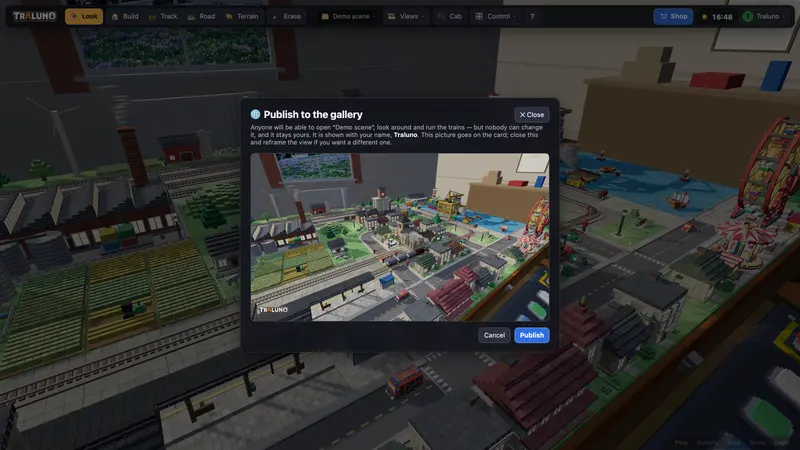
The gallery. You can publish a layout with a picture you take; anyone can open it and run the trains, and nobody else can change it. Share your layout in the gallery walks through it.
Screenshots and ride recordings. Screenshot saves the view as a picture with none of the interface in it, and Record in the cab window saves the ride as a video file.
A choice of room. The Cellar, the Hobby Room, the Bali House and The Garden, picked on the profile page. The garden railway and the other rooms shows all four.
The shop, as above.
Nothing to download, and it runs on a phone
Traluno is a web page drawn with WebGL, so there is nothing to download or install, on a computer or on a phone.
On a narrow screen the interface rearranges itself. The mode buttons move to a bar along the bottom, the catalogue opens as a sheet, and the rest of the controls live behind ☰. One finger drags to orbit the camera; two fingers pinch to zoom or move together to pan. A second finger landing cancels whatever the first one had started, so a pinch never paints a stray line of water. In Look mode a MOVE pad walks you round the table, + and − zoom, and ⌂ goes back to the standing view. There is no R key on a phone, so ↻ Rotate in the catalogue header does the same job.
A big layout is a lot of work for a phone. The frame-rate readout in the corner shows how it is coping.
Questions people ask
Is Traluno free?
Yes. The game and the account cost nothing, and 61 of the 92 catalogue items are free, including every track piece and four trains. The other 31 are one-off purchases from $1.49 to $9.99, with VAT included.
Does it work on a phone?
Yes, in the browser, with nothing to install. One finger orbits the camera, two fingers pinch to zoom or drag to pan, and the mode buttons move to the bottom of the screen.
Do I need an account?
Not to play: a guest's layout is kept in that browser. An account is free, signs in with an emailed code rather than a password, and is needed to keep layouts on the server, publish to the gallery, record rides and buy items.
- guide
- beginner
- free
- browser game